
JAMB clearly indicated on the portal that candidates are not allowed to print their slips at the moment. Nevertheless, the printing of the exam slips will commence at any moment from now.
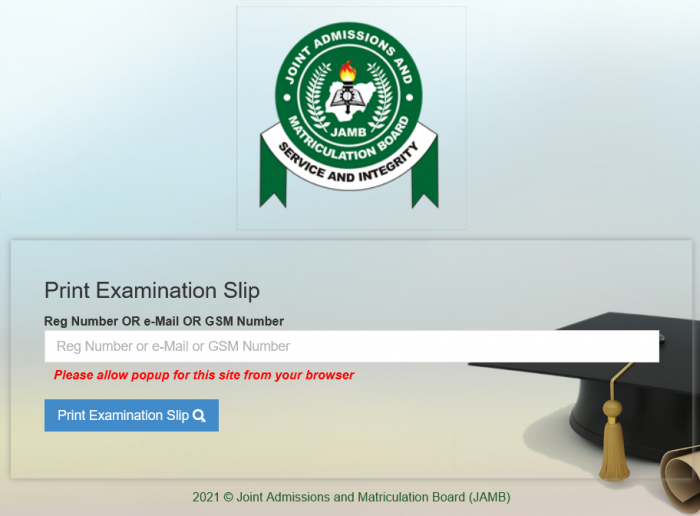
We are monitoring the situation and will let you know once it has fully commenced. We will use this thread to keep tabs on the situation. Please do let us know in the comment section of this publication once you are able to print yours, or once you receive any official notification from JAMB in that regard
Keep visiting this thread from time to time to check comments and see if anyone reports that the process has started.
FAQs
When will JAMB open the portal for 2027 UTME slip printing?
JAMB is expected to open the portal for printing of the 2027 UTME Examination Slip about one week before the exam begins. This slip contains your exam date, time, and center. Candidates should keep checking the official JAMB website or the monitoring thread for updates once the announcement is made.
What information appears on the 2027 UTME examination slip?
The exam slip contains essential details such as:
Candidate’s full name
Registration number
Examination date and time
Examination centre and address
Candidate’s photograph
Important instructions for exam day
Ensure all details are correct before the exam.
How do I print my 2027 UTME exam slip?
To print your UTME slip:
Visit the official JAMB Slip Printing Portal.
Enter your JAMB Registration Number, Email, or Phone Number.
Click “Print Examination Slip.”
Save it as a PDF or print directly.
Use a coloured printer if possible, as JAMB recommends it for clearer identification at the exam center.
What should I do if my exam slip is not showing or the portal is not loading?
If your slip isn’t showing:
Try again after some minutes — the portal may be overloaded.
Switch to another browser or device.
Clear your cache or use incognito mode.
Check back on the monitoring thread for updates on system issues or delays.
If the problem persists, visit any accredited JAMB CBT centre for assistance.